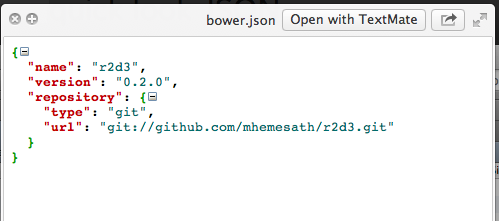
Lately I have had to preview a lot of JSON files. Apple’s QuickLook is a great feature for that, but, unfortunately, the base OS X doesn’t come with any QuickLook plugin for JSON. After a quick search online I found a free plugin that works fairly well. Not only does it preview the contents of the file, it pretty prints and supports folding. So, here is my shout-out to quick look JSON
There is also a website, quicklookplugins.com, dedicated to QuickLook plugins.
Thanks to user48986 at AskDifferent I was able to update Play Button iTunes Patch to support OS X Mountain Lion. Head over to the project page for the updated download.
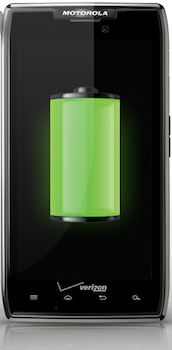
I just read that Tech Crunch had a post showing the Motorola Droid Razr HD pictures. Most of the specs aren’t something that we haven’t seen already, but what did catch my eye was the battery size. The rumor is that it will have a 3,300mAh battery! Compare that to the 2,100mAh battery that the current Samsung Galaxy S3 has.
According to this post if the S3 with it’s screen set to 50% brightness lasts about 8h:26m then this phone should last about 13h:15m (3300/2100 * 8.43 = 13.25). That’s generally the most that I can get out of my S2 (1,650mAh batterY) with it’s screen off!
I hate the fact that whenever I use my phone to it’s fullest (e.g. using GPS) my first concern ends up being the battery life. So, I am very happy to see that manufacturers are finally starting to pay attention to the battery life.
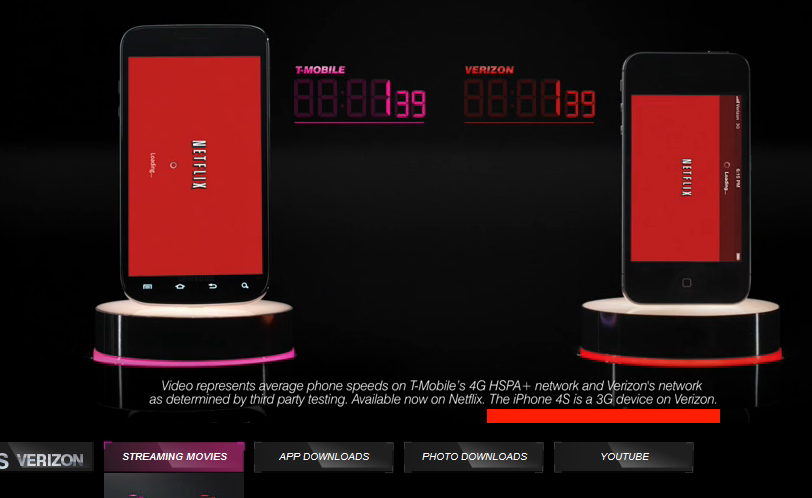
This is just not cool. T-Mobile is comparing a Samsung Galaxy S3 on a 4G connection to a Verizon iPhone, which only supports 3G. What’s even worst is that they classify this as a 4G connection comparison. Seriously, T-mobile, you are being shady to the extreme.
I am currently on Sprint, and I am in the market for a better service provider (slow data speeds). I was looking at T-Mobile for a bit, but such shady marketing practices just screams trouble down the road.
Honestly, I am sad at the current state of carriers in the US. I was pretty much settled on Verizon, but their recent practice of locking the boot loader on the S3 really disappointed me.
Image Resize for Windows is a handy utility for batch resizing images. I use that for batch resizing pictures, but the only thing about the resized pictures is that it puts “ (Custom)” or whatever size you specify in the filename. To rename the resized files you can use sed (if you have cygwin on Windows) to easily rename these files to what pattern you need. To do this a command like the following will do. This specific version will replace
find . -iname \*Custom\* | sed -e 's/\(.*\)\( (Custom)\)\(.*\)/mv "\0" "\1_small\3"/' | sh
Disclaimer: There are a gazillion ways to achieve this goal; this is just one of them.